Lately, my phone has been buzzing with what looks like urgent safety alerts from Amazon, subject lines like “Amazon Safety Recall” and “Amazon Recall” flashing across the screen.
The first time I saw one, I’ll admit, my stomach dropped. The message claimed that something I’d ordered in August 2025 was being recalled because of “quality and safety concerns” and included a scary-looking order number like 98103-5062288-1966544. It even said, “Your safety is our top priority… stop using this product immediately and contact us for a full refund.”
Sounds official, right? But here’s the truth: this is 100% a scam.
How the “Amazon Recall” Scam Works
Scammers are sending out fake recall texts pretending to be from Amazon. These texts claim a product you ordered is dangerous and needs to be returned right away. To “process your refund,” they tell you to click a link, often a shady-looking one using cutt.ly or other URL shorteners, instead of a real Amazon.com link.
Once you click, you’re taken to a phishing site designed to steal your login credentials, credit card numbers, or personal data. Some victims have even been tricked into sending money for bogus shipping fees.
Red Flags I Noticed
Here’s what tipped me off that it wasn’t really Amazon:
- The message didn’t appear in the official Amazon app’s messaging center
- The link didn’t go to Amazon.com (a major red flag)
- The message had odd grammar and an urgent, panicked tone
- The text included fake order numbers that didn’t match anything in my account
How to Stay Safe from the Amazon Recall Text Scam
If one of these lands in your inbox, here’s exactly what to do:
- If you already clicked and entered information, change your password immediately and contact your bank to watch for fraud
- Do NOT click the link, even just to “check.”
- Go directly to your Amazon account through the app or by typing Amazon.com into your browser.
- Ignore recall claims in unsolicited texts or emails. Amazon will contact you through your account, not a random text.
What Do You Do When You Suspect A Phishing Attempt
In this digital age and time, almost everyone has at one time received a phishing text or email and often times they fall victim and get scammed. This is why it is imperative that you are always careful when you receive any text or email because one careless click on a link can cause a whole lot of problems for you. Now if you suspect a phishing attempt, here are what I advise you do:
- Do Not Respond to the text, because you responding is actually giving access to the scammers, simply delete it when you receive.
- Quickly change your password if you have mistakenly clicked on the link or given away your login details. Change your password to a strong and unique password.
- Keep an eye on your accounts for any unauthorized transactions.
- Also scan you devices for any malware.
By following these tips, you can significantly reduce your risk of falling victim to phishing scams and keep your personal and financial information safe.
Conclusion:
The Amazon Recall Text Message Scam is a sneaky new phishing tactic, and it’s designed to prey on fear and urgency. It mimics official Amazon safety language to make you panic and click.
But remember: Amazon will never send recall texts with external links. Any real product recalls will show up in your account under “Your Orders.”
Stay calm, stay skeptical, and when in doubt, go directly to the source, not the link in your text.
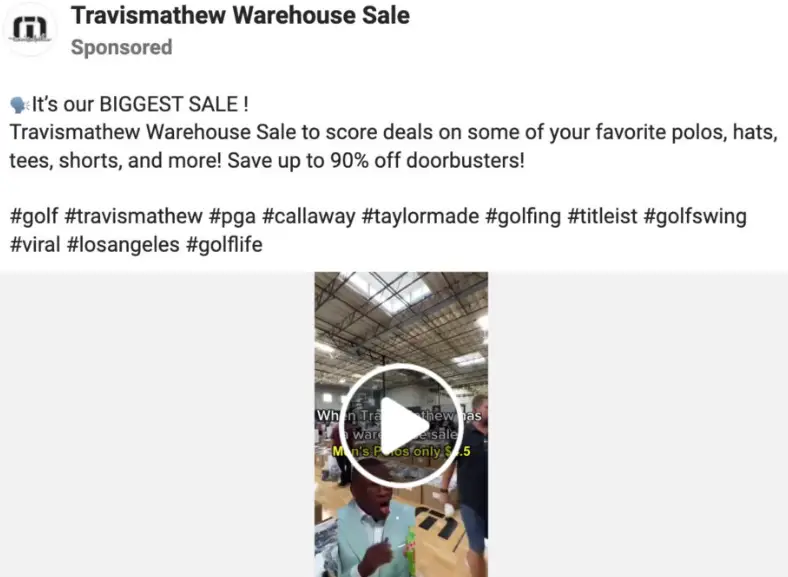
One of such scams we have discussed here is the Travis Mathew Warehouse Sale Scam