
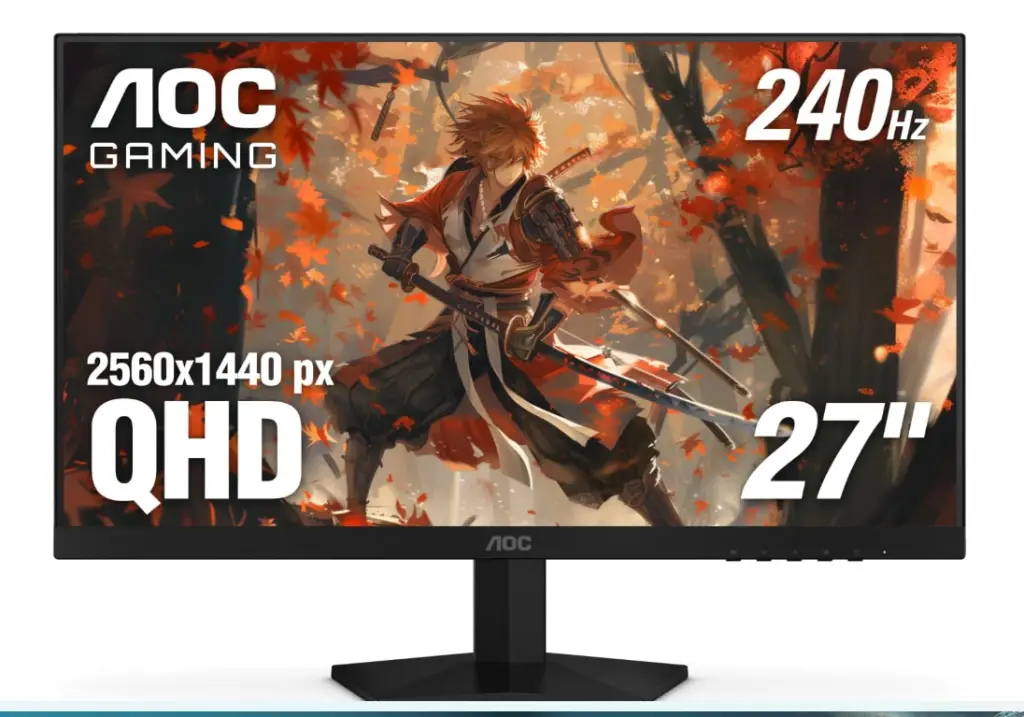
When it comes to gaming monitors, every spec on the box feels like a promise: higher refresh rate, lower response time, zero lag. So when I saw the AOC Q27G41ZE, a 27-inch 2K (2560×1440) gaming monitor advertising 240Hz+ performance for a surprisingly low price, I was both excited and skeptical. Could this be the affordable eSports-ready display I’ve been waiting for or just another case of overclocked marketing magic?
After a few weeks of testing it with everything from Cyberpunk 2077 to Valorant, here’s my honest experience, the good, the bad, and the not-so-obvious details AOC’s spec sheet doesn’t mention.
Unboxing & First Impressions
Right out of the box, the AOC Q27G41ZE feels premium for its price. The build is solid, the stand is stable (though not height-adjustable), and the bezels are pleasantly slim. Setup was quick, DisplayPort cable in, power on, and Windows instantly recognized the 240Hz refresh option.
At first glance, the 2K resolution on a 27-inch screen looked crisp. Text was clean, colors were vibrant, and motion felt buttery smooth. But as I started testing deeper, the monitor’s limits began to show, especially when it came to brightness and real HDR performance.
Performance: The 240Hz Truth
Here’s the thing: AOC advertises 240Hz refresh rate, but it’s actually overclocked from a native 165Hz panel. You can manually enable the higher refresh rate through the OSD (On-Screen Display), but the difference isn’t as drastic as marketing might suggest.
When running competitive titles like Apex Legends or CS2, the motion clarity was undeniably great, low ghosting, minimal smearing, and fast pixel response times. But unless you’re pushing consistent 200+ FPS, you won’t really “see” 240Hz in action.
If your GPU can’t keep up (say, an RTX 3060 or older), you’re better off running it at 165Hz, where it’s stable, smooth, and less likely to stutter.
Brightness & Color Accuracy
Here’s where the AOC Q27G41ZE starts to stumble a bit. It maxes out at 300 nits of brightness, which is perfectly fine for indoor or dim setups, but under daylight or with sunlight near your desk, it struggles.
HDR mode? Technically available, but it’s not “true HDR.” Without a wider color gamut or higher contrast ratio, the feature feels more like a checkbox than a real upgrade.
Color accuracy out of the box leans slightly cool, though calibration helps. Once adjusted, games like Red Dead Redemption 2 and Horizon Zero Dawn looked excellent, deep blacks, vivid skies, and natural tones.
Ports, Compatibility & Console Use
Port selection is… minimal. You get:
- 2x HDMI 2.0
- 1x DisplayPort 1.4
- 1x Audio Out
It’s fine for PC gamers, but console users might feel limited. HDMI 2.0 only supports 1440p at 120Hz, not 240Hz, so your PS5 or Xbox Series X won’t fully utilize the refresh rate.
If you’re planning to switch between console and PC often, expect to do some manual toggling. There’s no built-in KVM or USB hub, just the basics.
GPU Reality Check
Here’s a crucial truth that a lot of “budget 240Hz” reviews skip: your GPU determines whether you’ll actually benefit from 240Hz.
At 2K resolution, even high-end GPUs like the RTX 4070 Ti or RX 7900 XT might dip below 200FPS in heavy AAA titles. Unless you’re playing competitive eSports games, you won’t see the full advantage of 240Hz and that’s okay.
If you mostly play fast-paced shooters, this monitor feels responsive and snappy. But for story-driven or cinematic games, you might be better off with a display that focuses on color depth and HDR quality over sheer speed.
Warranty & Local Support
One recurring complaint among buyers is AOC’s regional warranty coverage. Depending on where you live, replacement or repair support can be hit or miss. In some countries, users reported delays or unclear responses when trying to claim warranty service.
That said, my unit hasn’t had any dead pixels or flickering so far, fingers crossed it stays that way.
Pros
- Crisp 2K resolution with smooth motion clarity
- Great response time for FPS and eSports games
- Minimal ghosting and low input lag
- Solid build for the price
Cons
- 240Hz is overclocked, not native
- 300-nit brightness limits HDR realism
- Basic ports (no USB-C or HDMI 2.1)
- No height adjustment or built-in speakers
- Inconsistent customer support in some regions
Is The AOC Q27G41ZE Worth It?
After using it daily, I’d call the AOC Q27G41ZE a solid mid-range gaming monitor that delivers on performance, just not all of its marketing promises.
Conclusion
If you’re chasing pure speed for competitive gaming, it’s absolutely worth considering. But if you care about true HDR, deeper colors, or console versatility, you’ll want to look elsewhere (like the Gigabyte M27Q or LG 27GP850).
At its price, though? The AOC Q27G41ZE punches above its weight, just don’t expect miracles from the overclocked “240Hz” tag.
Check out Horsepower Scrubber I reviewed earlier.