
A lot of people are getting strange phone calls lately claiming there’s a massive Walmart purchase linked to their account. The message usually sounds urgent and polished, which is exactly why so many people panic when they hear it.
The scam call normally starts with something like:
“This is Olivia from Walmart order verification. A pre-authorized purchase of $919.45 for a PlayStation 5 and 3D headset has recently been placed on a Walmart account registered in your name and phone number.”
Then comes the pressure:
“If you did not make this purchase, press one now to cancel the order.”
That’s the scam, the call is fake, Walmart is not involved, and the people behind it are trying to trick victims into handing over personal or financial information.
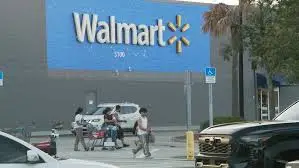
How The Walmart PlayStation 5 Scam Works
This scam is built around fear and urgency.
Scammers know hearing about a $900+ purchase immediately triggers panic, especially when it involves something expensive like a PlayStation 5. Most people instantly start thinking:
-“Did someone hack my account?”
-“Was my card stolen?”
-“How do I stop this charge?”
That emotional reaction is exactly what the scammers want.
Why They Tell You To “Press 1”
The moment someone presses one or calls the number back, they get connected to the scam operation.
From there, the scammers may try to:
-Steal credit card details
-Request remote access to devices
-Collect Walmart login information
-Trick victims into fake “refund” processes
-Convince people to move money supposedly for “verification”
Some versions even pretend to transfer victims to a fake fraud department.
Walmart Is Not Calling You
This part is important.
Walmart is not randomly robo-calling customers demanding urgent action over PlayStation purchases through suspicious automated numbers. Real companies typically direct users to log into their official accounts directly instead of pressuring them through robocalls.
The Script Is Designed To Sound Legit
What makes this scam effective is how polished the message sounds.
The fake representative often uses:
-Professional wording
-A believable purchase amount
-A recognizable retailer name
-A popular product people recognize immediately
Even the name “Olivia from Walmart order verification” sounds harmless enough to lower people’s guard.
Why Scammers Keep Using PlayStation 5 Stories
The PlayStation 5 has become one of the most common products used in scam calls because:
-It’s expensive
-It’s widely recognizable
-People know demand has been high
-The price sounds believable
Scammers want something expensive enough to create panic but common enough that the story sounds realistic.
Real Walmart vs. Scam Calls
- Walmart’s real communications: Emails, texts, or app notifications from verified domains like @walmart.com.
- Scam calls: Random numbers with pushy demands for money, gift cards, or login details.
Walmart themselves warn customers about these schemes and encourage reporting them.
Red Flags That Expose The Scam
Urgent Pressure
Scammers always want immediate action before people have time to think.
Unexpected Calls
Most people receiving these calls never ordered anything.
Requests For Sensitive Information
Legitimate companies generally don’t ask for passwords or banking verification through robocalls.
Suspicious Callback Numbers
Scammers often use spoofed numbers designed to appear local or official.
How to Protect Yourself from Walmart Scam Calls
- Block the number. Most smartphones let you block and report spam calls easily.quires vigilance and awareness. Here are some effective ways to protect yourself from phishing attacks:
- Hang up immediately. Don’t try to argue or “catch” the scammer.
- Never give out personal info. Walmart will never ask for your Social Security number, bank account, or login by phone.
- Use official channels. If in doubt, contact Walmart customer service directly through their website or app.
- Report the scam. File a complaint with the FTC (ftc.gov) or report to Walmart’s Fraud Department at [email protected].
Tips to Avoid Phishing Scams:
- Be Skeptical of Unexpected Communications:
- Be cautious with unsolicited emails, texts, or calls, especially those asking for personal or financial information.
- Verify the Source:
- Always verify the sender’s email address or phone number. Scammers often use addresses or numbers that look similar to legitimate ones.
- Look for Red Flags:
- Check for spelling and grammatical errors, generic greetings (e.g., “Dear Customer”), and urgent or threatening language.
- Don’t Click on Suspicious Links:
- Hover over links to see the actual URL before clicking. If it looks suspicious or doesn’t match the purported sender, don’t click it.
- Check the Website’s Security:
- When entering personal information online, ensure the website is secure. Look for “https://” in the URL and a padlock icon in the browser’s address bar.
- Avoid Downloading Attachments:
- Don’t open email attachments from unknown or suspicious sources. These could contain malware.
- Use Multi-Factor Authentication (MFA):
- Enable factor Authentication on your accounts so as to add an extra layer of security. This makes it harder for scammers to gain access even if they have your password.
- Report Phishing Attempts:
- Report suspicious emails to your email provider and the organization being impersonated. In the U.S., you can forward phishing emails to the Anti-Phishing Working Group at [email protected] and to the FTC at [email protected].
What Do You Do When You Suspect A Phishing Attempt
In this digital age and time, almost everyone has at one time received a phishing text or email and often times they fall victim and get scammed. This is why it is imperative that you are always careful when you receive any text or email because one careless click on a link can cause a whole lot of problems for you. Now if you suspect a phishing attempt, here is what I advise you do:
- Do Not Respond to the text, because you responding is actually giving access to the scammers, simply delete it when you receive.
- Quickly change your password if you have mistakenly clicked on the link or given away your login details. Change your password to a strong and unique password.
- Keep an eye on your accounts for any unauthorized transactions.
- Also scan you devices for any malware.
By following these tips, you can significantly reduce your risk of falling victim to phishing scams and keep your personal and financial information safe.
Is The Walmart PlayStation 5 Call Legit?
No. The Walmart PlayStation 5 order verification call is a scam designed to scare people into giving away personal and financial information. Walmart has no involvement in these robocalls, despite what the recording claims.
The biggest weapon scammers use is panic. The second people hear about a $919 PlayStation purchase, they stop thinking clearly and start reacting emotionally. That’s exactly the trap.
Conclusion
If you get one of these calls, don’t press anything, don’t call back, and don’t trust the voice just because it sounds professional. Scammers have become very good at sounding believable, which is why slowing down before reacting matters more than ever now.
Just like the NYC Unpaid Ticket Scam Text we reviewed earlier, The Walmart scam calls are part of a larger trend of phone-based fraud. They prey on trust and urgency, but once you know the red flags, they’re easy to spot. If it sounds too good to be true, or if someone asks for money or data over the phone, it’s a scam. Protect yourself by hanging up, verifying directly, and reporting suspicious activity.